Activity 9.2: Refine selections with Select and Mask
Using an image of your choice, begin experimenting with Photoshop’s Select and Mask command to refine selection edges.
If you are unable to find any suitable images in your library, stock photo sites Unsplash and Pexels provide free, high quality images.
- Unsplash https://unsplash.com/
- Pexels https://www.pexels.com/
Activity 9.2: Refine selections with Select and Mask
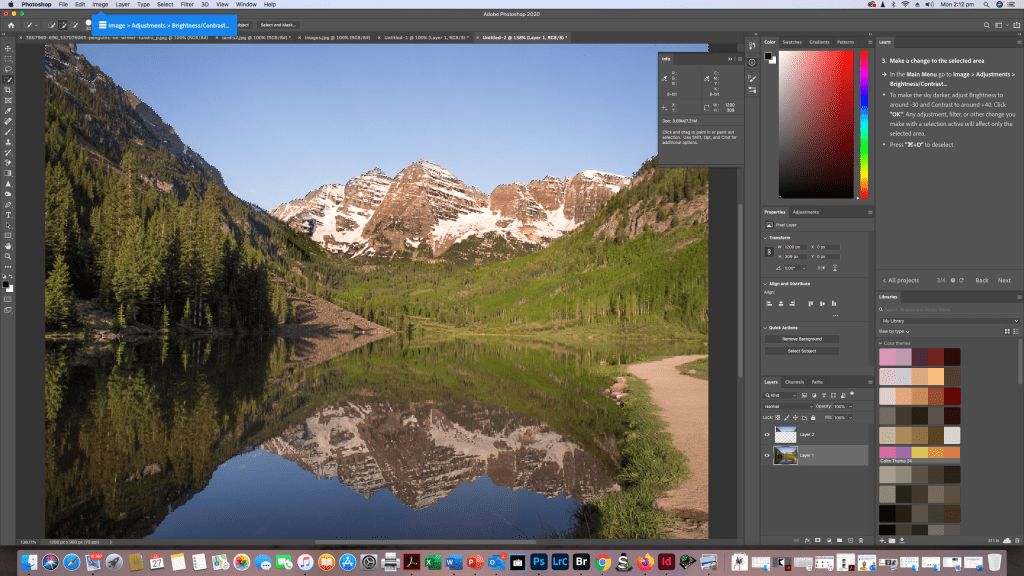
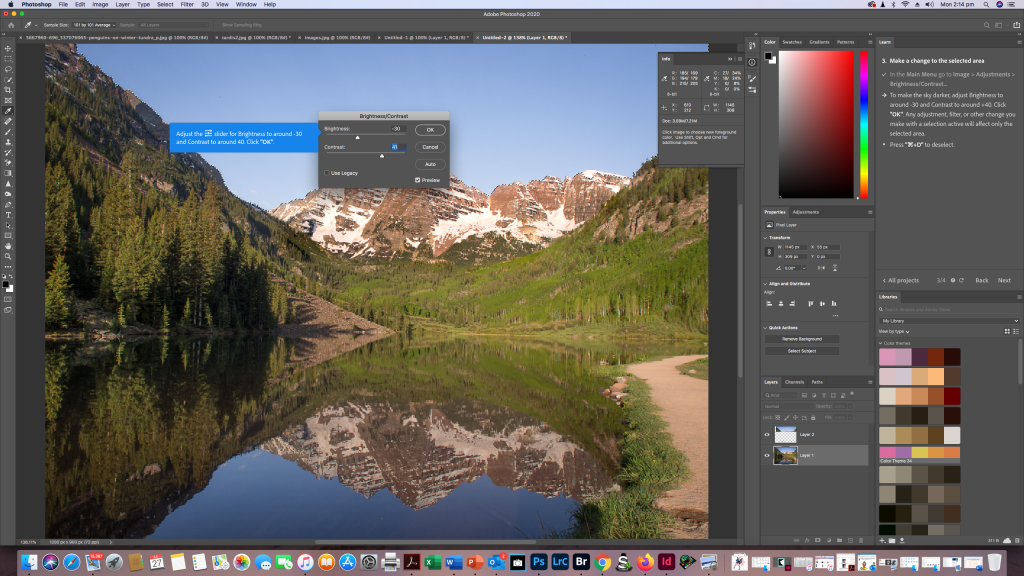
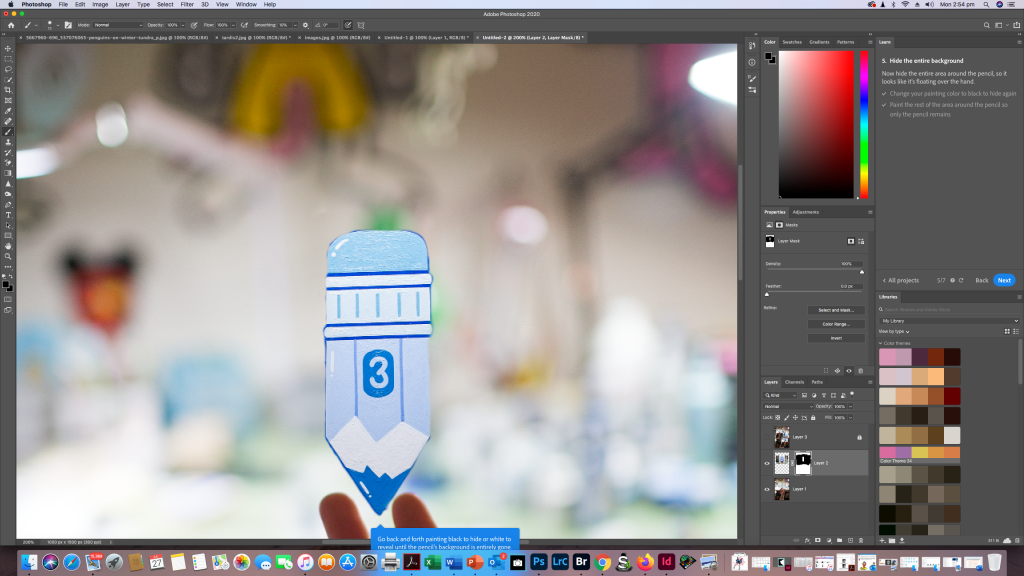
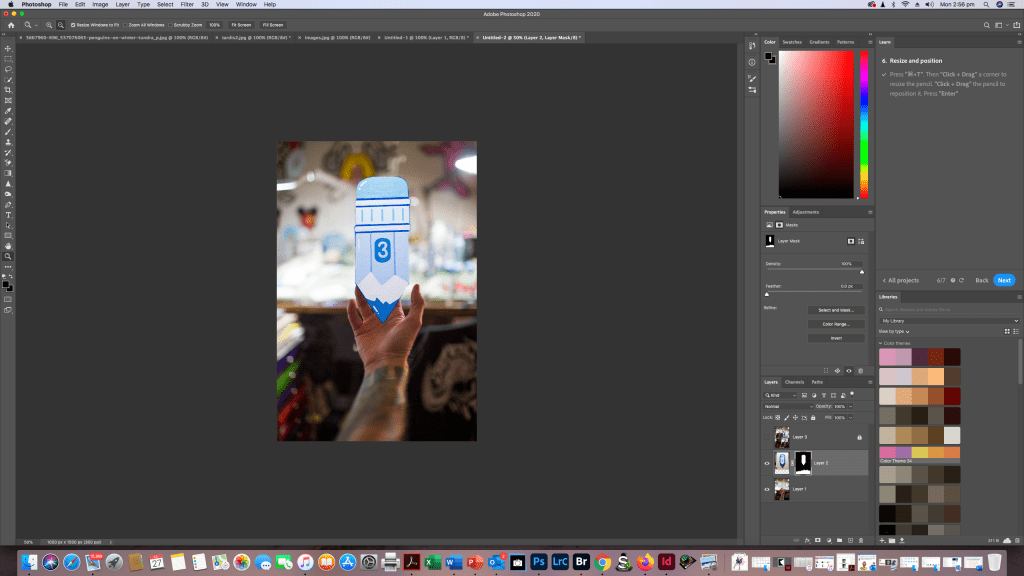
So for this exercise I decided to go and look at the Photoshop tutorial section in my Photoshop app on my Mac. I found it pretty easy and simple to follow and it’s a great tool for learning simple little useful Photoshop techniques. I’ve screen shotted for you so you can see where to find the tutorials and how easy they are to use then i’ll also go into my own images and use the skill I’ve just “learned”
Selection Tool

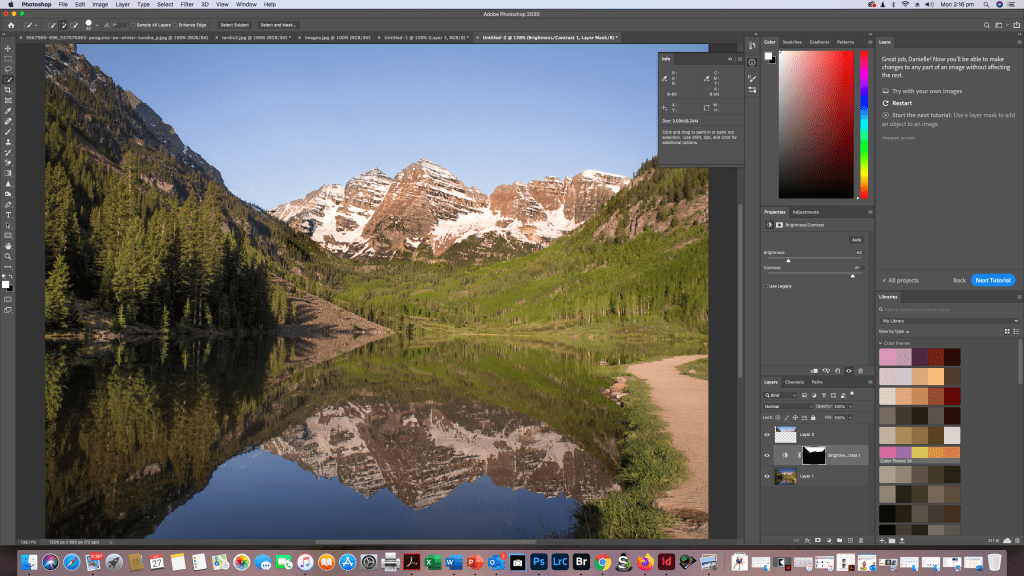
Masking
Again I’ve done the tutorial and screen shotted step by step of me following the tutorial
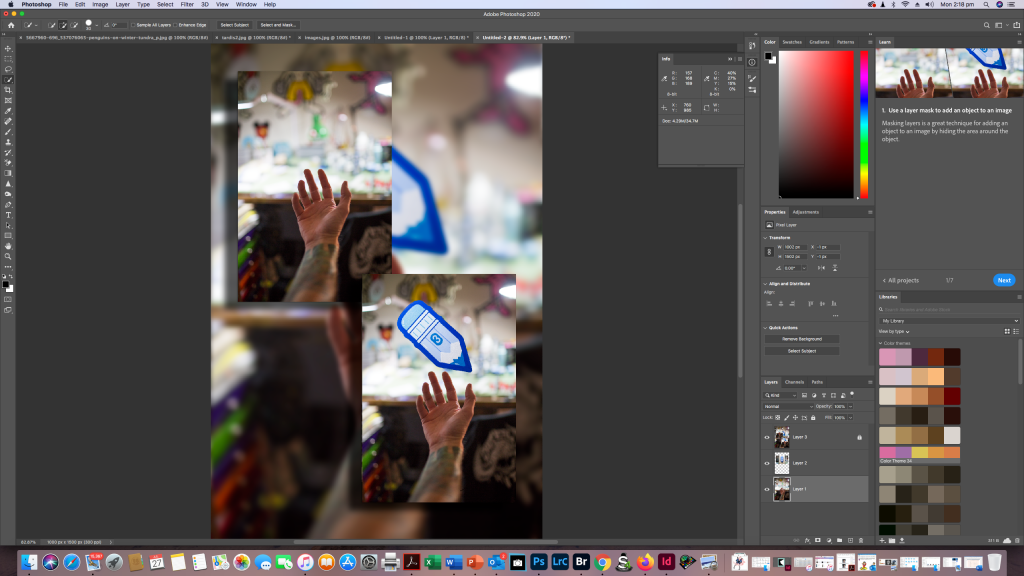
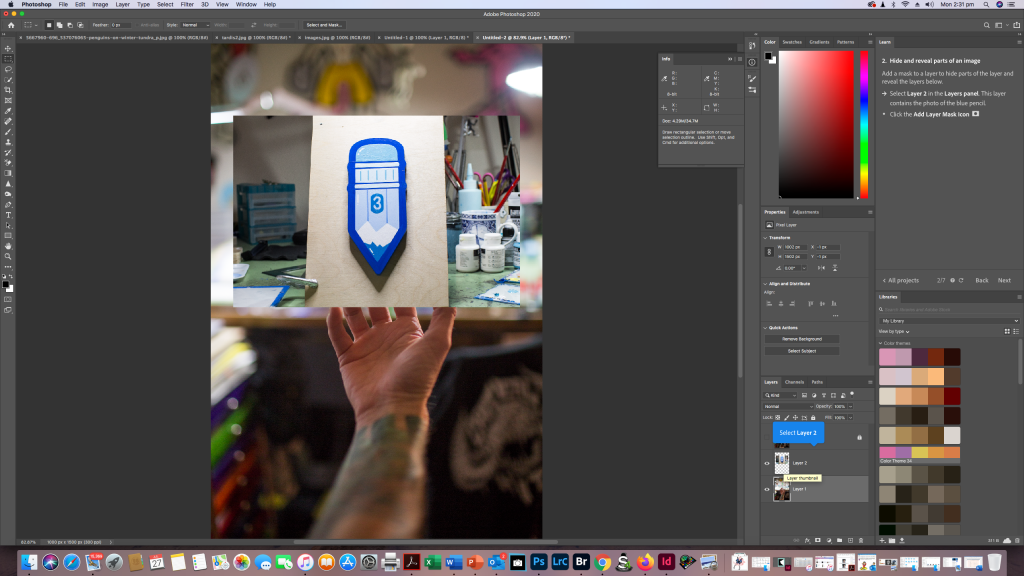
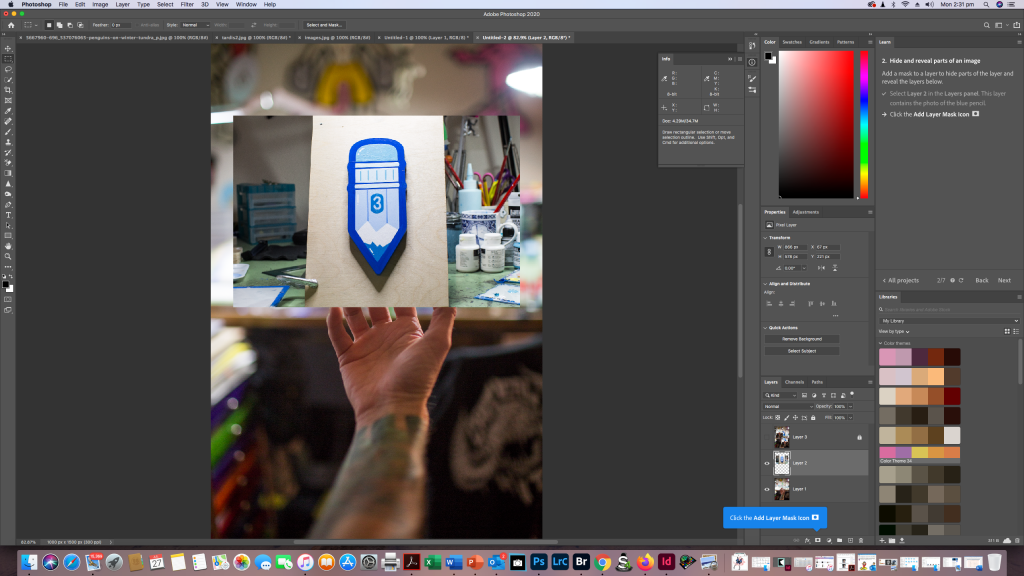
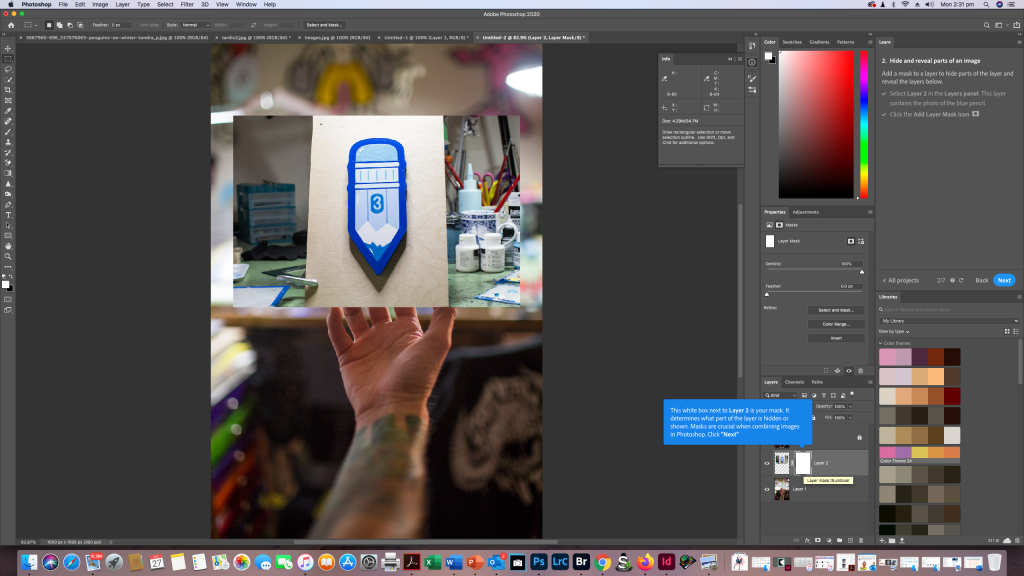

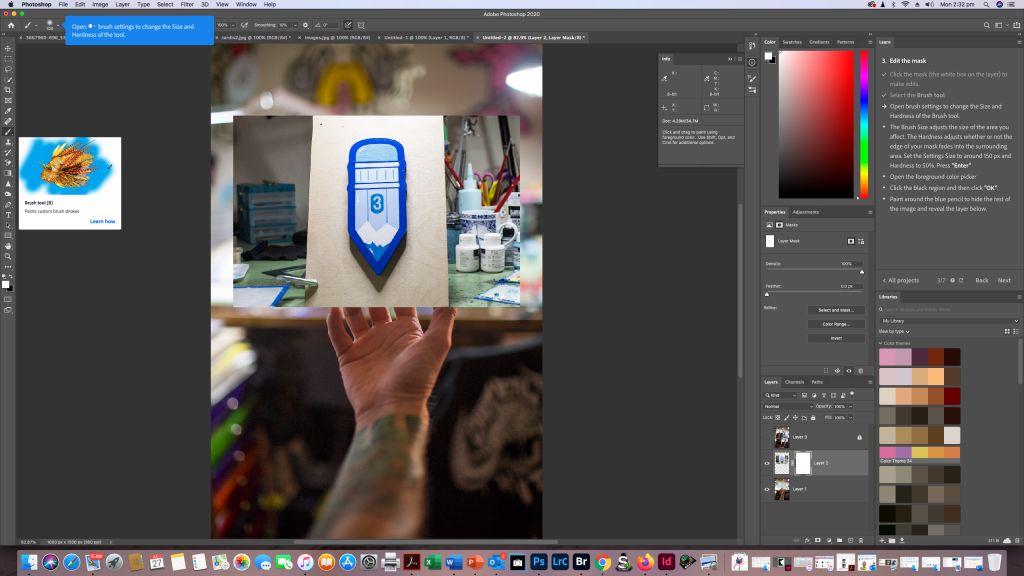
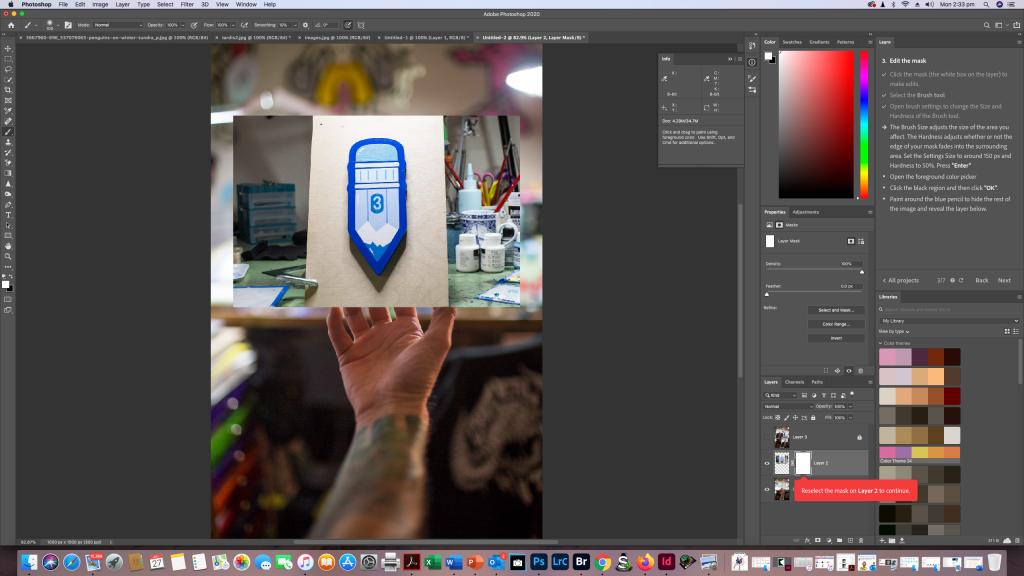
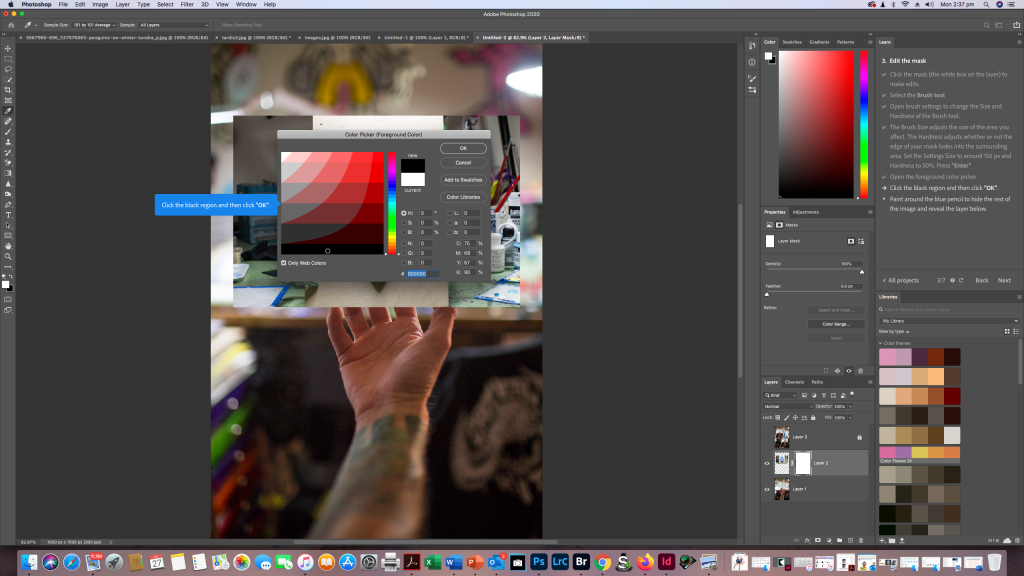
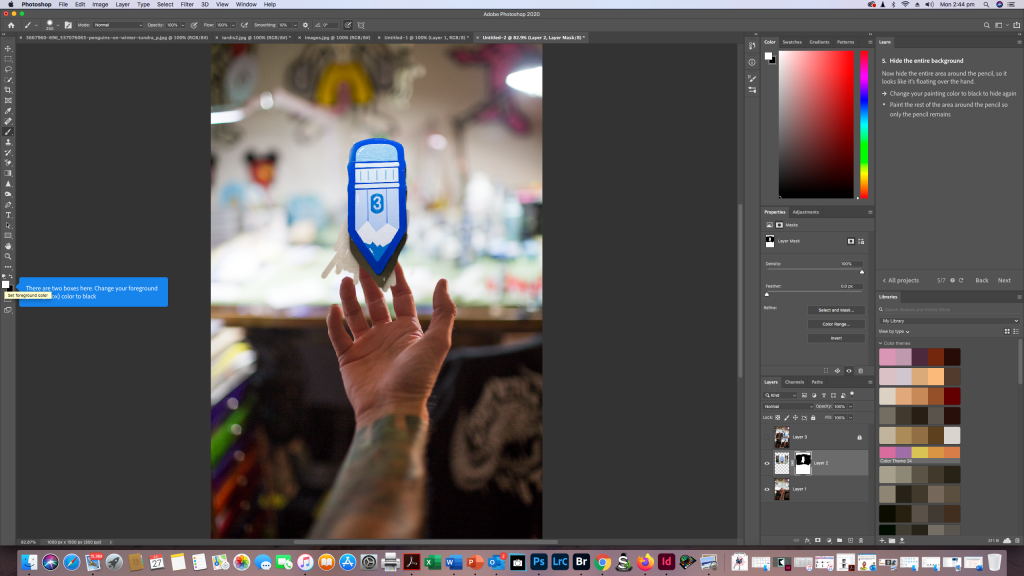
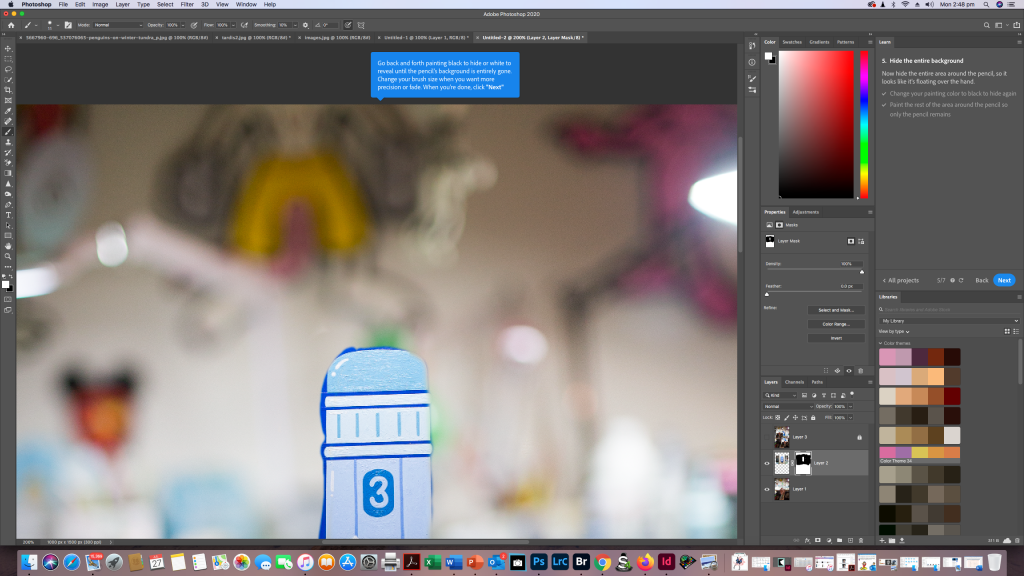


Over the next few weeks I will be adding more into this as i get more comfortable manipulating my own images in Adobe Photoshop.

